
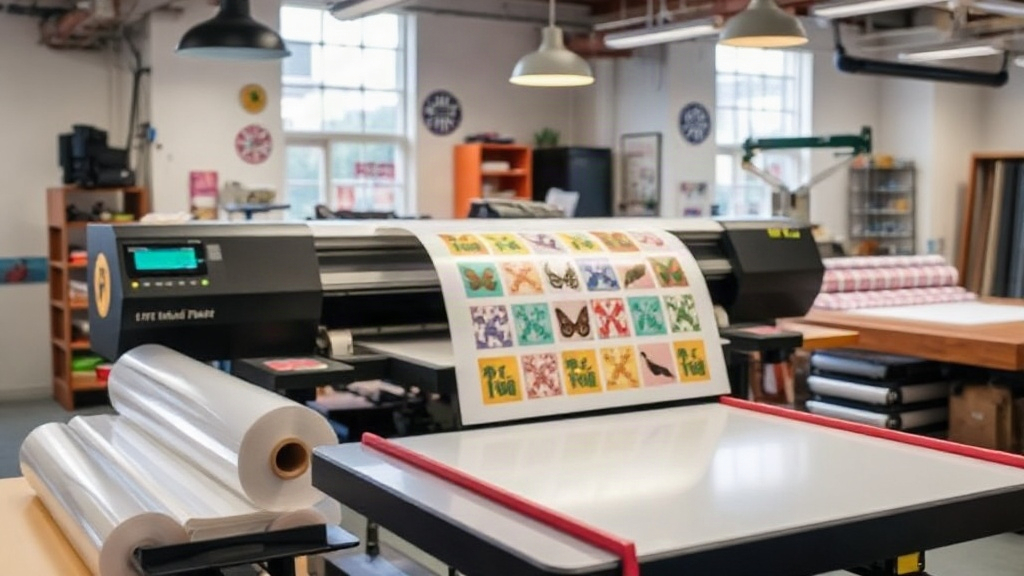
If you run a custom apparel business, you already know that DTF printing has changed the game. But what if you could slash your material costs, reduce waste, and speed up production even further? Enter the DTF gangsheet – a game-changer for print shops and brands alike. In this guide, we'll dive deep into what gangsheets are, why they matter, and how to use them to maximize your profits.
What Is a DTF Gangsheet?
A DTF gangsheet is a single film sheet that contains multiple designs printed together. Instead of printing each design on a separate sheet, you gang them up on one large sheet. This approach is similar to gang printing in offset lithography, where multiple jobs are combined to save time and materials. With DTF printing, gangsheets allow you to print a variety of designs in one go, then cut them apart after transfer.
Why Gangsheets Are a Game-Changer
The primary benefit is cost efficiency. DTF film and powder are significant expenses. By maximizing the use of each sheet, you reduce waste and lower your cost per print. Additionally, gangsheets save time: you can print dozens of designs in a single pass, then cut and press them as needed. This is especially useful for small businesses that offer a wide range of designs but have limited production capacity.
How to Create a DTF Gangsheet
Creating a gangsheet requires some planning and the right tools. Here's a step-by-step guide to help you get started.
1. Choose the Right Software
You'll need design software that allows you to arrange multiple images on a single canvas. Adobe Photoshop, Illustrator, or dedicated RIP software like Cadlink or acuRIP are popular choices. The key is to set your canvas to the exact dimensions of your DTF film – common sizes are 13" x 19", 22" x 24", or 24" x 36".
2. Nest Your Designs Efficiently
Nesting is the art of arranging designs to minimize empty space. Rotate and reposition each design to fill gaps. Pay attention to the grain of the film if applicable, but with DTF film, orientation is flexible. Leave a small margin between designs (about 0.1 to 0.2 inches) to make cutting easier and prevent ink bleeding.
3. Print and Cure
Once your gangsheet is ready, print it using your DTF printer. Then apply hot melt powder evenly, shake off the excess, and cure the sheet in an oven or with a heat press. Follow your powder and film manufacturer's guidelines for temperature and time.
4. Cut and Press
After curing, cut out each design. You can use scissors, a craft cutter, or a vinyl cutter with a contour cut feature. Then press each design onto your garment using a heat press. The DTF transfer process is straightforward and yields vibrant, durable results.
Benefits of Using DTF Gangsheets
Let's explore the advantages in more detail.
- Cost Savings: By maximizing film usage, you reduce waste and lower your cost per print. This is crucial for maintaining healthy profit margins.
- Time Efficiency: Printing multiple designs at once saves time compared to printing individually. You can produce more in less time.
- Flexibility: Gangsheets are perfect for small batch orders, sample packs, or when you need to fulfill multiple orders simultaneously.
- Reduced Inventory: Instead of printing large runs of a single design, you can print a variety of designs on demand, reducing overstock.
Best Practices for DTF Gangsheets
To get the most out of your gangsheets, follow these best practices.
Optimize Your Layout
Use nesting software if available, or manually arrange designs to fill every inch. Consider the shape of each design – irregular shapes can be interlocked to save space. Also, group designs by color profile if possible to maintain consistency.
Test Your Materials
Not all DTF films and powders are created equal. Test different brands to find the combination that gives you the best results for your printer and garments. Keep a log of settings for future reference.
Mind the Gaps
Leave enough space between designs to allow for cutting. Too little space and you risk cutting into a neighboring design; too much and you waste film. A 0.1-0.2 inch gap is usually sufficient.
Use Quality Control
After printing, inspect the gangsheet for any defects like missing ink or uneven powder. Catching issues early saves time and materials. Also, ensure that the sheet is fully cured before cutting.
Common Mistakes to Avoid
Even experienced printers make mistakes. Here are some pitfalls to watch out for.
- Overcrowding: Trying to fit too many designs can lead to cutting errors and poor transfer quality.
- Ignoring Film Orientation: While DTF film is versatile, some films have a preferred side for printing. Always check the manufacturer's instructions.
- Inconsistent Powder Application: Too much powder leads to a rough feel; too little results in poor adhesion. Aim for an even, thin layer.
- Skipping Curing: Under-cured transfers will crack or peel. Always follow the recommended curing parameters.
How DTF Gangsheets Boost Your Business
Implementing gangsheets can transform your operations. For startups, it lowers the barrier to entry because you can offer a wide range of designs without investing in multiple screens or plates. For established shops, it increases throughput and reduces costs, allowing you to take on more orders and improve your bottom line. Additionally, gangsheets enable you to offer sample packs or mystery boxes, which can be a great marketing tool.
Frequently Asked Questions
What is the ideal size for a DTF gangsheet?
The ideal size depends on your printer's maximum print width and the size of your designs. Common sizes are 13" x 19", 22" x 24", and 24" x 36". Choose the largest size your printer supports to maximize efficiency.
Can I use any DTF film for gangsheets?
Most DTF films work, but it's best to use films designed for your printer and ink type. Some films have a coating that enhances ink adhesion. Always test before committing to a large gangsheet.
How do I cut a DTF gangsheet?
You can cut manually with scissors or use a cutting machine like a Silhouette or Cricut. For precise cuts, use a vinyl cutter with contour cutting. Ensure the sheet is fully cured before cutting.
How long does a DTF gangsheet last?
When stored properly in a cool, dry place away from direct sunlight, a cured gangsheet can last several months. Pressed transfers on garments can last 50+ washes if applied correctly.
Is it worth investing in a DTF printer for gangsheets?
If you do a high volume of custom printing, yes. A DTF printer gives you control over production, reduces outsourcing costs, and allows you to create gangsheets on demand. For low volumes, outsourcing to a gangsheet service may be more cost-effective.
Ready to take your custom apparel to the next level? Explore our DTF gangsheet services at dtfcustompress.com and see how we can help you save time and money.